Thermometer Room Temperature
- 4.1
- Rating
- 1.00M
- Installs
- Free
- Price
 Analysis by App-foxy
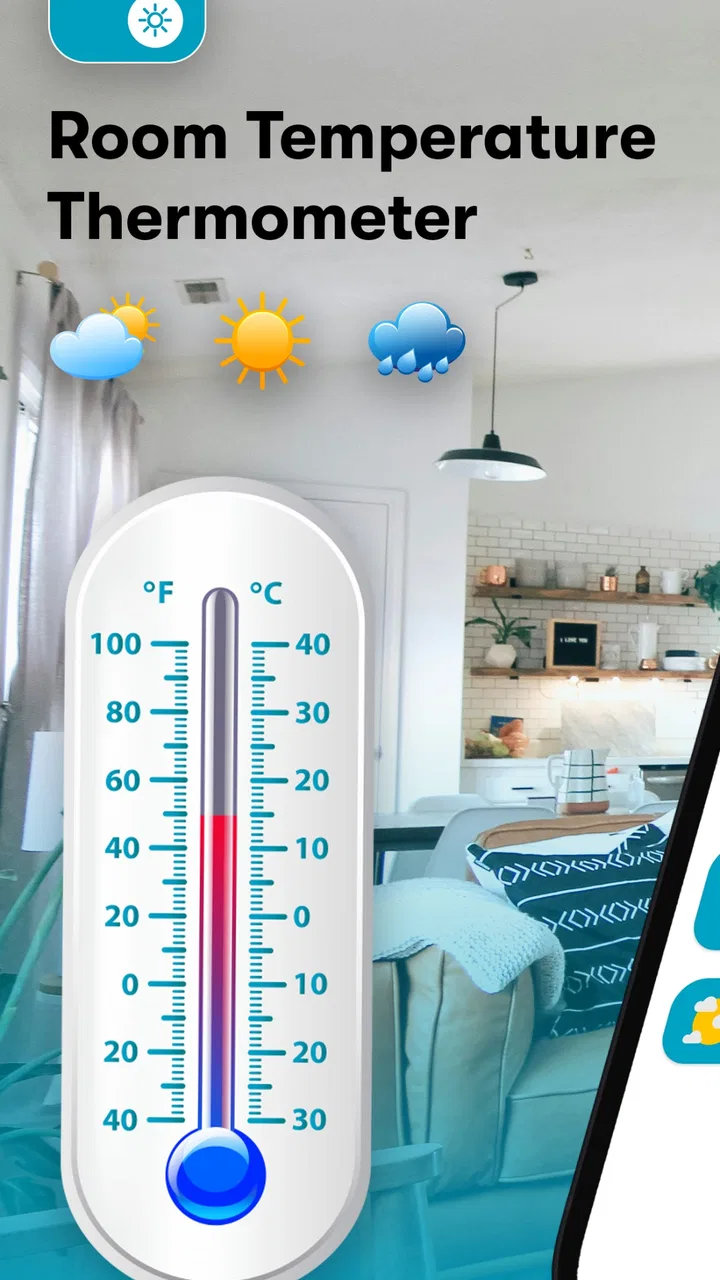
I downloaded Thermometer Room Temperature expecting a simple way to check the temperature around me, and that is exactly where its appeal begins. It is a free weather app from Morsol Technology that focuses on indoor and outdoor temperature readings rather than trying to become a complete forecast dashboard. The idea is easy to understand: open it when you want a quick temperature check, look at the reading, and get on with your day.
That simplicity makes a good first impression. I did not have to learn a complicated layout or work through a long setup before understanding what the app was for. At the same time, a temperature app needs to be judged more carefully than its short description suggests. A phone is not automatically a dedicated thermometer, and a reading is only useful when I understand what it represents. After the initial novelty wears off, the important question is whether this tool becomes part of a regular routine or ends up forgotten beside the standard weather app already on the phone.
From quick curiosity to a useful daily habit
During the first week, I found several natural moments to open it. Before leaving home, I could use the reading as a quick reminder to think about clothing rather than relying entirely on how the room felt. When returning from outside, an indoor reading gave me a rough sense of whether the room had warmed up or cooled down. The app also suits small practical checks, such as deciding whether to open a window, start a fan, or add another layer for a child.
You May Also Like

 Blood Strike: 2.5 Anniversary
Blood Strike’s Loadouts Turn Every Drop Into a Tactical Gamble
A close look at Blood Strike’s custom loadouts: how fast access to signature weapons reshapes its battle royale rhythm, rewards preparation, and narrows the gap between fights.

 Pandora - Music & Podcasts
Pandora’s Music Is Easy to Start, but Harder to Recover
Pandora’s strength is its low-effort path from a seed to a station. Its weak spot is how much confidence it asks you to place in connection, setup, and quiet recovery.

 8 Ball Pool
 Is Built on Rivalries, Rematches, and Routine
A close look at the rivalries, rematches, shared routines, and unanswered safety questions that turn a quick pool match into a persistent mobile community.

 Samsung Music
’s Quiet Strength Is Playing What You Already Own
Its reach comes less from spectacle than from dependable access to a personal library. That simplicity is both the app’s strongest retention engine and its ceiling.

 AccuWeather: Weather Radar
AccuWeather Review: A Quick, Clear Forecast for Everyday Decisions
For everyday plans, the best forecast is the one you can understand quickly. AccuWeather makes rain timing, radar, and local conditions easy to act on, with a few trade-offs.

 Hill Climb Racing
Why Hill Climb Racing Still Turns Crashes Into One More Run
A tiny car, a bumpy hill and one more upgrade: Hill Climb Racing keeps resurfacing because its simple chaos makes every near-miss feel personal.
More From Our News Desk



The most useful way to approach it is as a convenient reference, not as laboratory equipment. A phone-based temperature reading can be affected by the device itself, especially if the phone has recently been charging, running demanding apps, or sitting in sunlight. I learned to put the phone down for a little while before treating the result as meaningful. That small habit is more important than repeatedly refreshing the screen, because a warm phone can make any nearby temperature estimate less representative of the room.
This is also where the app differs from a normal forecast service. A weather app is usually strongest when I want conditions outside, upcoming changes, rain information, or broader planning. Thermometer Room Temperature is more focused on the immediate question, “What is the temperature around me right now?” That narrower purpose can be helpful, but it also means the app does not replace a full weather service for travel, commuting, or planning several hours ahead.
For a first-time user, I would recommend testing it in a calm, repeatable situation. Leave the phone away from direct heat, avoid checking immediately after charging, and compare the result with how the room feels. If the reading behaves consistently in the same place, it can become a handy personal reference. If the number changes dramatically whenever the phone is handled, I would treat it as a curiosity rather than a dependable household instrument.
Where the app fits into an ordinary day
One realistic scenario is a home office. I might sit at a desk for several hours and gradually stop noticing that the room has become uncomfortable. A quick check can prompt me to adjust ventilation before I become distracted or tired. The value is not that the app makes the decision for me; it gives a concrete point of reference when my sense of comfort has become unreliable.
Another use is preparing a room for a baby, an older family member, or someone who is sensitive to heat and cold. In that situation, the app can support a routine check, but I would not use it as the only safety measure. A dedicated indoor thermometer placed in the room is the better choice when accurate environmental monitoring matters. The phone is portable and convenient, while a dedicated device is designed to stay in one location and measure that environment continuously.
I also found that the app can be useful when moving between rooms. A bedroom, kitchen, and enclosed workspace may feel noticeably different even inside the same home. Checking each area can help identify a ventilation problem or a room that retains heat. The trade-off is that the phone must be allowed to settle in each location, so this is not an instant survey of the entire home. It is better for occasional comparisons than for constant monitoring.
Its broad audience is reflected in the Everyone age rating. The interface and purpose are straightforward enough for a family member who does not want a technical weather tool. The minimum operating-system requirement is Android 6.0, which makes it accessible on many older Android phones. That is useful if I want to repurpose an older device for occasional room checks, although the phone’s age and sensor hardware can still affect how useful the result feels.
The small details that decide whether it stays installed
The first-week experience is pleasant because the app answers a single question quickly. The problem is that quick novelty can disappear once I have checked the temperature a few times. To earn permanent space on my phone, it needs to support a recurring habit rather than merely offer an interesting number.
I found three habits that make it more worthwhile. First, I would check it at the same point in a daily routine, such as before opening windows in the morning. Second, I would keep the phone in a consistent position when comparing readings, because changing the location changes the meaning of the comparison. Third, I would use it alongside personal comfort rather than against it. If the number says the room is comfortable but I feel cold, the practical answer is still to investigate drafts, clothing, humidity, or airflow.
That last point is easy to overlook. Temperature alone does not explain every comfort problem. A room can feel unpleasant because of stale air, direct sunlight, moving air, or moisture even when the temperature appears reasonable. This app is therefore most useful when it starts a small observation routine: check the temperature, notice the room, make one adjustment, and check again later. It becomes less useful when I expect a single reading to diagnose the entire indoor environment.
The app has reached over a million installs and holds an average rating of 4.1 from around thirteen thousand ratings, which suggests that the basic concept has found a substantial audience. I would read those figures as evidence of practical interest rather than proof that every phone will deliver the same experience. Temperature tools are particularly dependent on how the device is used, so my own testing conditions matter more than popularity alone.
What remains valuable after the novelty fades
I find the lasting value here depends less on how often I open the app than on whether each check helps me make a small, practical decision. Keeping comparisons to the same room and similar phone conditions can make those checks more meaningful than chasing a supposedly perfect number. That habit also makes it easier to recognize when a dedicated thermometer or a full forecast app would serve me better.
Month-to-month usefulness depends on a clear purpose
After the first month, I would keep this app installed only if I had a repeated reason to use it. For me, that reason would be checking a workspace, comparing rooms, or maintaining a simple morning and evening routine. Without one of those habits, the app risks becoming a tool I remember only when I am curious. That is not necessarily a criticism; many focused utilities are valuable precisely because they are used occasionally. But occasional value is different from being an essential daily app.
The strongest long-term use case is convenience. I do not need to find a separate instrument when the phone is already in my hand. If I am visiting another room, staying in a different home, or checking conditions before settling down to work, the app is faster than searching for a household thermometer. This portability gives it an advantage over a fixed device, especially for people who move around frequently.
The strongest alternative is a dedicated thermometer. A physical unit is usually easier to leave in one place, easier to compare over time, and more appropriate when I need confidence in the room’s actual conditions. A full weather app is the better alternative for outdoor forecasts and planning. Thermometer Room Temperature sits between those options: more immediate and portable than a household instrument, but less comprehensive than a weather service and less dependable for serious monitoring than dedicated hardware.
That middle position explains both its appeal and its limits. I would recommend it to someone who wants a quick room-temperature reference and understands that convenience comes before precision. I would skip it as a primary solution for health-related monitoring, climate control, storage conditions, or any situation where an inaccurate reading could cause a meaningful problem. In those cases, the right choice is a proper thermometer designed for that specific job.
Maintenance is light, but good readings require discipline
The app itself does not create a demanding maintenance routine. I would not need to manage a physical sensor, replace batteries, or find a permanent mounting position. That low effort is one of its best qualities. A phone can be carried from room to room, and the app can remain available for occasional checks without taking over my routine.
There is still some user maintenance. I need to avoid checking immediately after intensive phone use, keep the device away from obvious heat sources, and remember that a reading taken in a pocket or under a blanket is not a useful description of the room. If I want to compare readings over time, I should repeat the check under similar conditions. These steps are simple, but skipping them can make the app feel inconsistent when the real problem is the measurement situation.
I would also avoid turning the app into a substitute for a fixed monitor. A phone is handled, moved, charged, and exposed to changing conditions throughout the day. A dedicated device can remain undisturbed. This distinction matters particularly in a nursery, greenhouse, server area, or storage space. For those settings, the low-maintenance appearance of a phone app is misleading because the user must supply the consistency that a dedicated instrument provides naturally.
The free price makes experimentation easy, while in-app purchases ranging from $2.49 to $14.99 per item mean that some optional elements may involve payment. I would start with the free experience and decide whether the app is genuinely useful before considering any purchase. For a focused temperature check, paying only makes sense if an added element solves a problem I actually have; the basic idea should be judged on regular usefulness, not on the promise of extra convenience.
Why some users may stop opening it
The main source of fatigue is repetition. Once I know the approximate temperature of my home, opening the app again may not add much unless conditions are changing. This is especially true for people who already have a weather widget, smart-home sensor, or ordinary thermometer nearby. In that setup, another temperature display can feel redundant rather than helpful.
A second source of frustration is uncertainty about what the reading represents. If I expect a professional-grade measurement and see a result that does not match another device, confidence drops quickly. The app’s focused design cannot remove the limitations of the phone’s hardware or the environment around it. I think the best experience comes from treating the result as an estimate for everyday awareness rather than an authoritative measurement.
A third issue is that the app may encourage checking without offering a broader reason to return. A forecast app earns repeat visits through changing weather, alerts, and planning information. A room-temperature tool has a naturally smaller loop. Its long-term value comes from a personal routine, not from constant new content. Users who want an app that keeps presenting fresh information may find this one too narrow.
There is also a practical trade-off between portability and stability. Carrying the phone makes the tool available everywhere, but it also means the measurement environment changes constantly. Leaving a dedicated thermometer in one room gives a cleaner trend. I would choose the phone app for quick checks and mobility, and a physical monitor for repeated comparisons, thresholds, or records that need to be trusted.
Who should install it, and who should choose something else?
I think it is a good fit for Android users who want a free, uncomplicated temperature reference and do not want to buy hardware immediately. It is also suitable for someone using an older compatible phone, for a student checking a dorm room, or for a remote worker who wants a quick prompt to improve comfort at a desk. The app’s Everyone rating and straightforward purpose make it approachable for casual household use.
I would be more cautious recommending it to someone who needs exact readings, continuous observation, historical tracking, or dependable alerts. I would also point people toward a conventional weather app if their real goal is rain forecasting, outdoor conditions, or trip planning. The name and summary make the indoor focus clear, but the broader category can still create expectations that this is a complete weather replacement. It is not the tool I would choose for that job.
My practical recommendation is to test it in one room and compare it with a trusted thermometer if one is available. Do not compare readings while the phone is warm or being held. Give it a stable place, wait, and repeat the check later. If the results are consistent enough for your personal decisions, the app has earned a role. If not, uninstalling it is reasonable; a dedicated instrument will serve you better than trying to force a phone into a job it was not built to perform.
Version 3.26.103 is available for compatible Android devices, and the app has been around since June 23, 2020. That history, combined with its sizable install base, makes it feel like an established utility rather than a one-day experiment. Still, longevity does not change the central trade-off: it offers convenience and portability, while the quality of the result depends heavily on the phone and the way I take the reading.
My long-term verdict
Thermometer Room Temperature earns lasting space only when it supports a real habit. I would keep it for quick room checks, workspace comfort, and occasional comparisons between locations. I like that it stays focused, costs nothing to try, and can be more convenient than searching for a physical thermometer. It is an approachable tool for everyday awareness, not an intimidating technical instrument.
At the same time, I would not mistake convenience for precision. The app is not my choice for safety-critical monitoring, detailed climate management, or replacing a reliable dedicated thermometer. Its narrow purpose can also become repetitive if I have no routine built around it. Those limitations are not deal-breakers; they simply define the right expectations.
My final view is positive but selective. If you want a quick indoor temperature check on an Android phone running at least Android 6.0, this free app is worth trying. Use it thoughtfully, let the phone settle, keep your comparisons consistent, and judge whether the reading helps with an actual decision. If it does, Morsol Technology has made a useful little companion. If you only want forecasts or exact environmental measurement, the usual alternatives will give you more lasting value.
FAQs for Thermometer Room Temperature
01How accurate is the Thermometer Room Temperature app?
The Thermometer Room Temperature app uses your device's built-in sensors to estimate the ambient temperature. While it provides a fair approximation, it's important to note that the accuracy can be affected by factors such as device heating, external case materials, and sensor calibration. For precise measurements, it's recommended to use a dedicated thermometer.
02Does the app require an internet connection to function?
No, the Thermometer Room Temperature app does not require an internet connection for basic temperature readings, as it relies on the device's internal sensors. However, some features, such as weather updates or enhanced functionalities, may require internet access to provide real-time data.
03Can the app measure outdoor temperatures?
The app is primarily designed to measure indoor temperatures using your device's sensors. For outdoor temperatures, it may offer features that use location-based services to provide weather data from online sources. This information is typically sourced from weather stations rather than your device's sensors.
04Is the app compatible with all smartphone models?
The Thermometer Room Temperature app is compatible with most Android and iOS devices that have the necessary internal sensors. However, older models or those with stripped-down hardware might not support all features. It's recommended to check the app's compatibility in the store before downloading.
05Are there any costs associated with using the app?
The app may be available as a free download with optional in-app purchases or ads. Some features might be locked behind a paywall, offering an ad-free experience or additional functionalities. Always check the app description for pricing details and consider what features are essential before making any purchases.
Pros
- Accurate temperature readings.
- User-friendly interface.
- Quick response time.
- No additional hardware needed.
- Supports multiple units.
Cons
- Ads can be intrusive.
- Limited free features.
- Requires internet for best accuracy.
- May drain battery quickly.
- Not compatible with older devices.

Thermometer Room Temperature
Gallery